Home
Blog posts
Le Thinkpad X220
May 10 2026
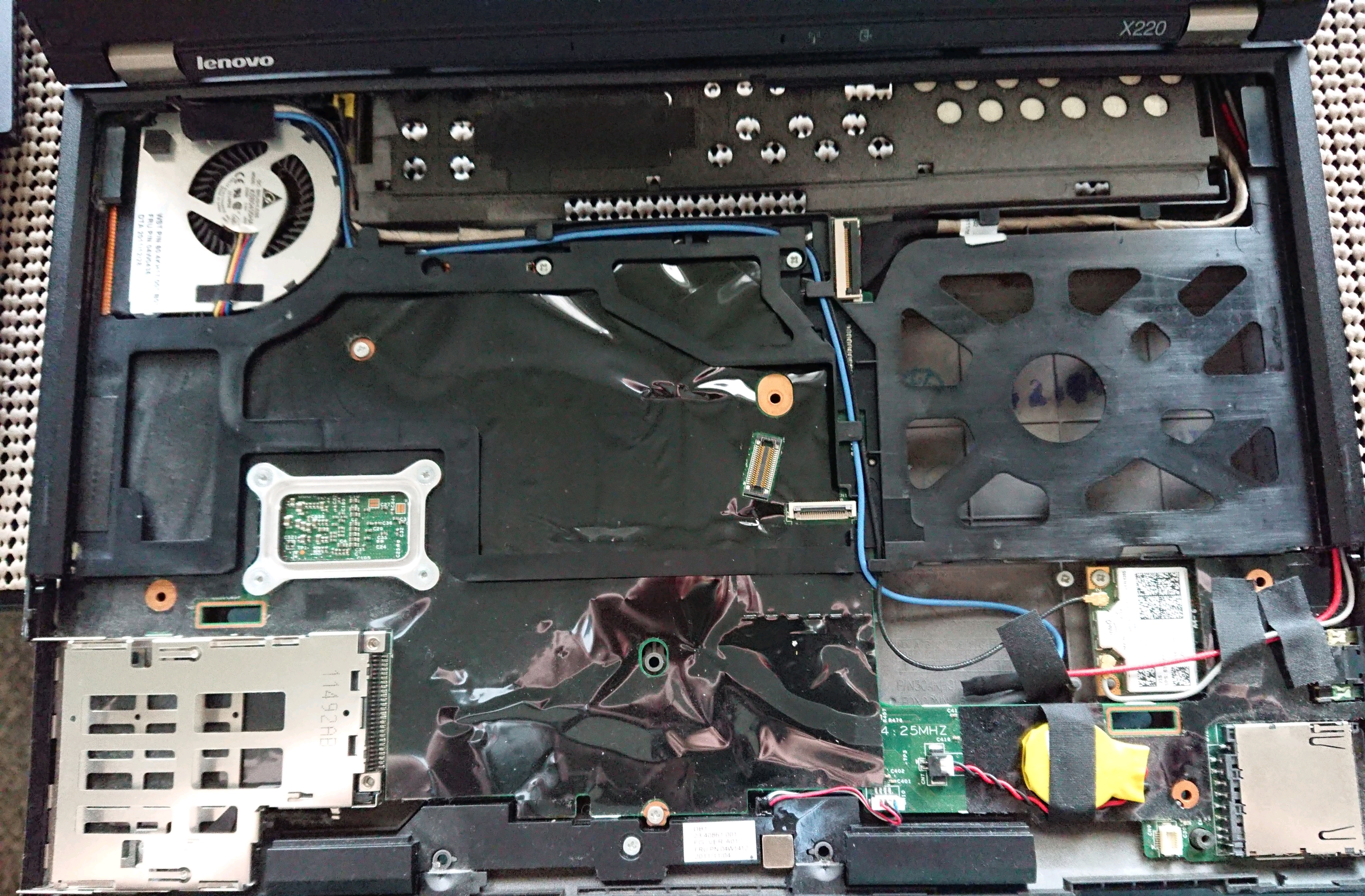 I think I really enjoy using the X220 as a daily driver. One of the principal selling points on this for me is the compactness and ease with which I use it regularly. I was using a Thinkpad X1 Carbon before this but I ended up giving that one to my wife to use instead. I think part of what sticks out to me for this one is just how easy it is to take apart and put back together. The battery is a simple no nonsense clip-on/clip-off one and the internals are easy enough to screw off and unhook. I repasted some Thermal Paste onto the CPU and taking the entire laptop apart and reassembling it was incredibly easy.
I’m astounded at the state of modern computing, where laptops and smartphones are wasted so frequently either because people want to move onto the next thing and consoom, or the manufacturer has made opening the device up so incredibly difficult that people feel it’s not worth the effort to try and repair it. Making repairs on new devices nowadays is often so difficult that it requires specialized tools and dedicated practice in order to even open the device up and see the internals.
The Thinkpad X220 is obviously an old device at this point. It came out in 2011 and can’t really do anything specialized like Photoshop or Video Editing that is required for modern media creation. But it works incredibly well for pretty much anything else. Retro games work fine on it and browsing just to do stuff like banking or looking up information is more than enough for me. I’m surprised again at how easy the whole process was. I wish more companies would attempt to make their devices this easy to repair.
Of course, newer Lenovo devices have succumbed to the trend of making everything difficult to repair as well. Their thinkpads nowadays have soldered components and do not allow people to easily get into the internals. I think that as long as the Thinkpad X220 lasts though, I’ll keep using it.
I think I really enjoy using the X220 as a daily driver. One of the principal selling points on this for me is the compactness and ease with which I use it regularly. I was using a Thinkpad X1 Carbon before this but I ended up giving that one to my wife to use instead. I think part of what sticks out to me for this one is just how easy it is to take apart and put back together. The battery is a simple no nonsense clip-on/clip-off one and the internals are easy enough to screw off and unhook. I repasted some Thermal Paste onto the CPU and taking the entire laptop apart and reassembling it was incredibly easy.
I’m astounded at the state of modern computing, where laptops and smartphones are wasted so frequently either because people want to move onto the next thing and consoom, or the manufacturer has made opening the device up so incredibly difficult that people feel it’s not worth the effort to try and repair it. Making repairs on new devices nowadays is often so difficult that it requires specialized tools and dedicated practice in order to even open the device up and see the internals.
The Thinkpad X220 is obviously an old device at this point. It came out in 2011 and can’t really do anything specialized like Photoshop or Video Editing that is required for modern media creation. But it works incredibly well for pretty much anything else. Retro games work fine on it and browsing just to do stuff like banking or looking up information is more than enough for me. I’m surprised again at how easy the whole process was. I wish more companies would attempt to make their devices this easy to repair.
Of course, newer Lenovo devices have succumbed to the trend of making everything difficult to repair as well. Their thinkpads nowadays have soldered components and do not allow people to easily get into the internals. I think that as long as the Thinkpad X220 lasts though, I’ll keep using it.